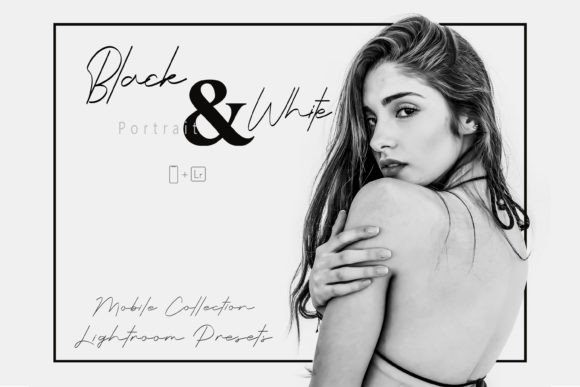
20 Mobile LR, Black White Portrait
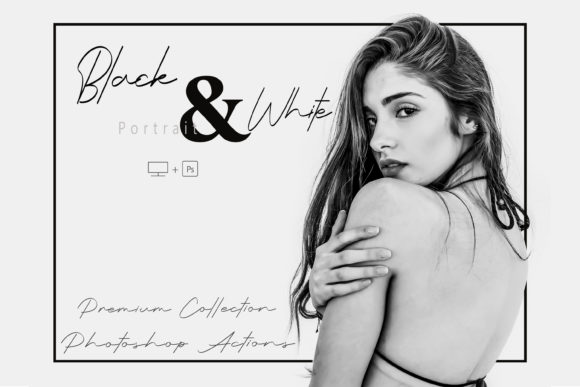
In a world where feeds overflow with saturated filters and AI-generated gradients, something quietly powerful happens when you strip color away: attention deepens. Texture emerges. Emotion settles. A glance becomes a pause. That’s the quiet strength behind 20 Mobile LR, Black White Portrait — not just another preset pack, but a thoughtful toolkit designed for creators who understand that monochrome isn’t about limitation — it’s about intention.
These 20 Lightroom Mobile presets in DNG format are built specifically for modern smartphones and real-world lighting conditions. They don’t force harsh contrast or artificial grain. Instead, they honor skin tones, preserve shadow detail, enhance natural texture in hair or fabric, and guide the eye through composition — all without requiring a single slider adjustment. Whether you’re a blogger refining your Instagram feed, a small business owner showcasing team portraits, or an educator sharing visual storytelling lessons, this set meets you where you are: on mobile, with limited time, and high standards.
What People Often Misunderstand (and Why It Matters)
Many assume black and white presets are “set-and-forget” tools — apply one, tap export, done. But that’s where subtle missteps begin. For example, applying the same high-contrast preset to both a sunlit outdoor portrait and a dimly lit indoor shot often flattens dimensionality in the latter and blows out highlights in the former. The result? A technically converted image that feels emotionally flat or visually unbalanced.
Another common oversight is skipping the step-by-step PDF guide included with 20 Mobile LR, Black White Portrait. While Lightroom Mobile supports DNG presets out of the box, some users miss critical setup steps — like enabling “Allow Access to Photos” in iOS settings or correctly importing via the “+” icon instead of opening the file directly. That leads to confusion (“Why won’t it show up?”), wasted time, and premature assumptions that the presets “don’t work.”
There’s also a misconception that monochrome = vintage. Not true. A clean, finely tuned black and white edit can feel contemporary, editorial, even minimalist — especially when paired with strong framing or intentional negative space. Relying only on presets labeled “vintage” or “gritty” may unintentionally misalign your brand voice — say, if you're a wellness coach aiming for calm clarity rather than nostalgic drama.
How Small Oversights Impact Real Results
Using presets without checking exposure first is perhaps the most frequent efficiency drain. A slightly underexposed color photo will become muddy and low-detail in black and white — no preset can fully recover lost shadow information. Similarly, over-sharpening before conversion adds distracting halos around edges, especially in portraits. These aren’t flaws in the presets; they’re workflow gaps that affect presentation quality and audience perception.
For marketers and entrepreneurs, inconsistent tonal treatment across posts can weaken visual cohesion. If three out of five profile photos use different contrast levels or grain intensities, followers subconsciously register dissonance — not professionalism. That undermines trust before a single word is read.
And for educators or freelancers sharing tutorials or client deliverables, assuming all devices render DNGs identically is risky. While Lightroom Mobile handles them reliably, some third-party apps or older Android versions may not interpret embedded profiles correctly. Always preview on the target device — not just your own.
Better Choices, Step by Step
Start simple: choose one preset from the set — not the strongest or most dramatic, but one labeled “Balanced,” “Natural,” or “Soft Contrast” — and apply it to a well-exposed, front-lit portrait. Then look closely: do eyes retain depth? Is there separation between hair and background? Does skin texture feel present but not exaggerated? If yes, you’ve found your anchor preset — the one you’ll return to as a baseline before fine-tuning.
Before downloading or purchasing any preset pack, verify two things: first, that it includes clear instructions for DNG import on both iOS and Android (not just screenshots of desktop Lightroom); second, that the developer offers direct support or a responsive channel for troubleshooting. With 20 Mobile LR, Black White Portrait, both are covered — including a concise, illustrated PDF guide and compatibility notes for the free version of Lightroom Mobile.
Don’t overlook lighting context. A preset optimized for golden-hour warmth may need subtle exposure or dehaze tweaks in overcast or fluorescent-lit environments. That’s normal — and expected. Think of these presets as expert starting points, not final destinations. Even pros adjust exposure, whites, and noise reduction per image. The goal isn’t perfection in one click — it’s consistency with control.
If you’re sharing edited images publicly, test how they appear in grayscale mode on social platforms. Some algorithms compress contrast or mute midtones differently than your screen displays. A quick check on a friend’s phone or using Lightroom’s soft-proofing preview helps avoid surprises.
What to Check Before You Commit
- Format & Compatibility: Confirm it’s DNG (not XMP) for mobile use — and that it works with the free Lightroom Mobile app, not just the subscription version.
- Realistic Range: Skim the preview thumbnails. Do they show variation — soft, dramatic, high-key, textured — or do they look nearly identical? Diversity in tone and mood signals thoughtful design.
- Transparency: Are sample edits shown on unedited originals? Can you see side-by-side comparisons with lighting notes (e.g., “shot at 5 PM, north-facing window”)? That builds confidence in applicability.
- Support Clarity: Is there a clear way to ask questions if something doesn’t load or behave as expected? Look for email, Discord, or prompt replies — not just a generic “contact us” form.
Monochrome photography has never been about removing color to hide flaws. It’s about revealing structure, strengthening narrative, and inviting slower looking. 20 Mobile LR, Black White Portrait supports that purpose — not by doing the work for you, but by giving you reliable, expressive starting points grounded in photographic principles, not trends. Use them with awareness, adjust with purpose, and let the absence of color do what it does best: make room for meaning.